A mod for Sid Meier's Alpha Centauri: Alien Crossfire expansion

Longevity Vaccine

Adds widescreen support and windowed/borderless modes to Sid Meier's Alpha Centauri. Includes quality of life UI features, and bug/crash fixes.

  • Multiplayer fully supported
  • In-game settings available in the Preferences menu
  • Optional AI-upscaled HD Cinematics
  • Optional AI-remastered leader portraits, courtesy of Turovetsky

What you need

What's supported

  • Thinker Mod v5.5 is officially supported, use later versions at your own risk
  • PRACX is supported (and required)
  • Other mods not supported, install at your own risk
  • Base game (without the Alien Crossfire expansion) not supported

Longevity Vaccine installer

Download installer

This requires Sid Meier's Alpha Centauri Planetary Pack from GOG. The mod runs on its Alien Crossfire game.

You choose during installation whether the game checks for updates.
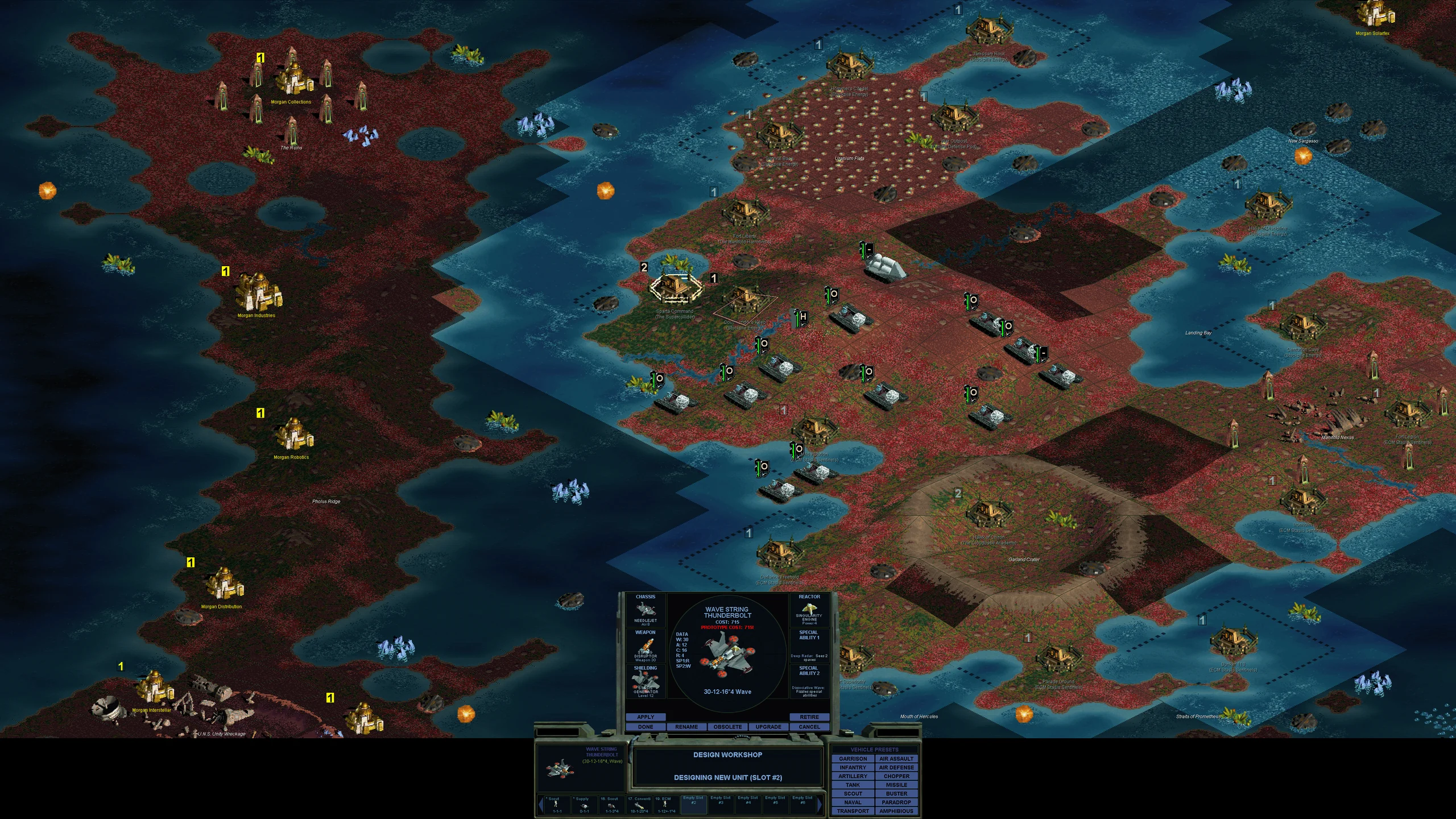
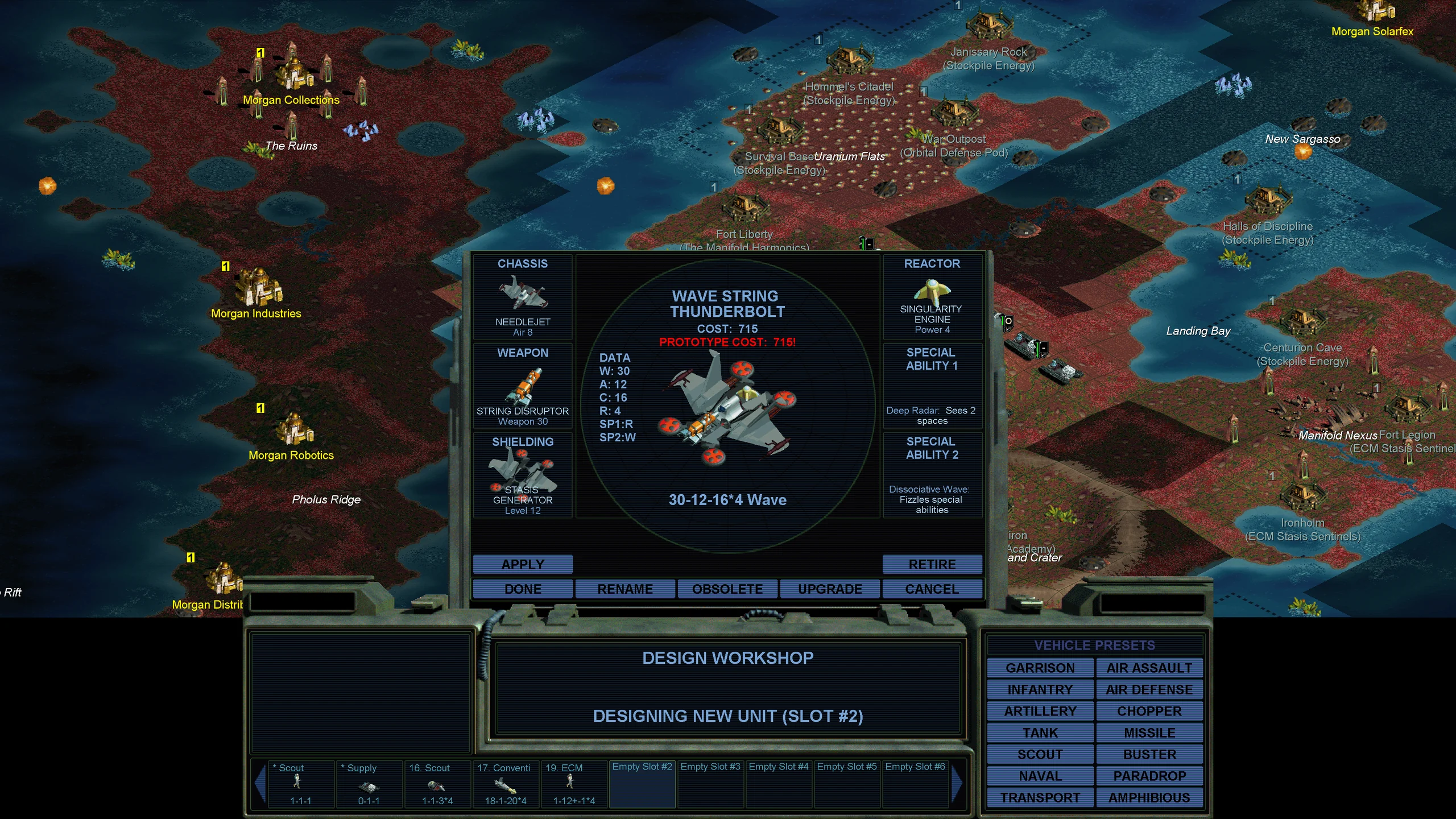
Design Workshop unmodded at 3840×2160: a small window in the bottom-centre with tiny text
Design Workshop with Longevity Vaccine at 3840×2160: the same window scaled up and readable
Unmodded (PRACX)
Longevity Vaccine
Drag to compareDesign Workshop · 3840×2160
True interface scaling

Alpha Centauri's UI doesn't natively grow with your screen. Longevity Vaccine scales every UI element while keeping the original proportions. Dithers and scanlines are carefully preserved using bespoke scaling methods for each element and image.

SMACX comes to modern hardware

Longevity Vaccine has everything you need to play Alpha Centauri on modern hardware and monitors. It does everything from fixing game-breaking crashes to adding modern conveniences like mouse-wheel support.

Critical crash fixes

Fixes several crashes, including the infamous "new game crash" affecting all Windows 11 players.

Scales up to 4K

All UI and text scales with your screen. From the original 1024×768 up to 4K. Adds borderless and windowed video modes, perfect for streamers.

Fullscreen cinematics

Movies play in-window at your resolution, with no desktop resolution switch and no external player. Optional AI-upscaled cinematics are available.

Modern controls

An optional Modern Control Set: right-click to move, left-click to select. No more drag-to-move.

In-game settings

A new tab in the preferences menu lets you tune your settings without editing config files.

Gameplay bugs

Fixes disruptive gameplay bugs like AI always seeing invisible units, the Free Drones' riot base capture ability crashing the game, etc.

Optional HD Leader Portraits

Turovetsky's HD Portrait Pack gives all fourteen faction leaders' portraits AI-remastered at high resolution.

Included with Longevity Vaccine

Sharper vanilla portraits, or bring your own

  • The original leader art is smoothly scaled up to 4K
  • Use your own portraits: drop PNG or JPEG images into the game's portraits folder
  • Swap between custom and vanilla portraits in the in-game Preferences menu

Turovetsky's HD Portrait Pack

Everything in Longevity Vaccine, plus:

  • All 14 faction leaders remastered at high resolution by Turovetsky
  • Matches the original art style and 8-bit palette
  • Swap between HD and user/vanilla portraits in the in-game Preferences menu
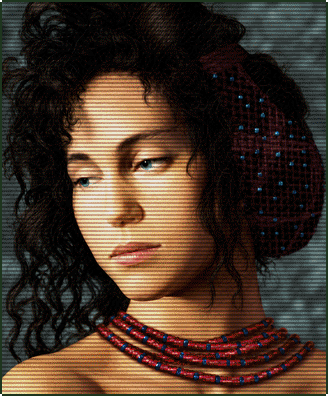
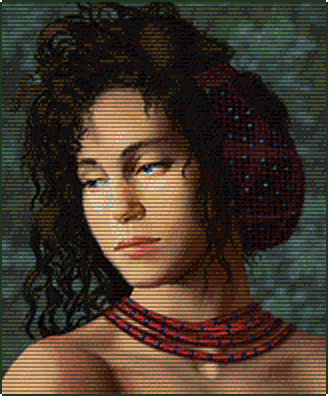
Lady Deirdre Skye, original portrait as Longevity Vaccine draws it
Lady Deirdre Skye, Turovetsky's HD Portrait Pack as drawn in game
Base Vaccine
HD pack
In-game render at 2× scale

Leader

Lady Deirdre Skye Gaia's Stepdaughters

Art by Turovetsky

Alpha Centauri

Alien Crossfire

Optional HD Cinematics

All cinematics now play at full-screen resolution. An optional AI-upscaled cinematics pack is available when you install to make use of the new resolution.

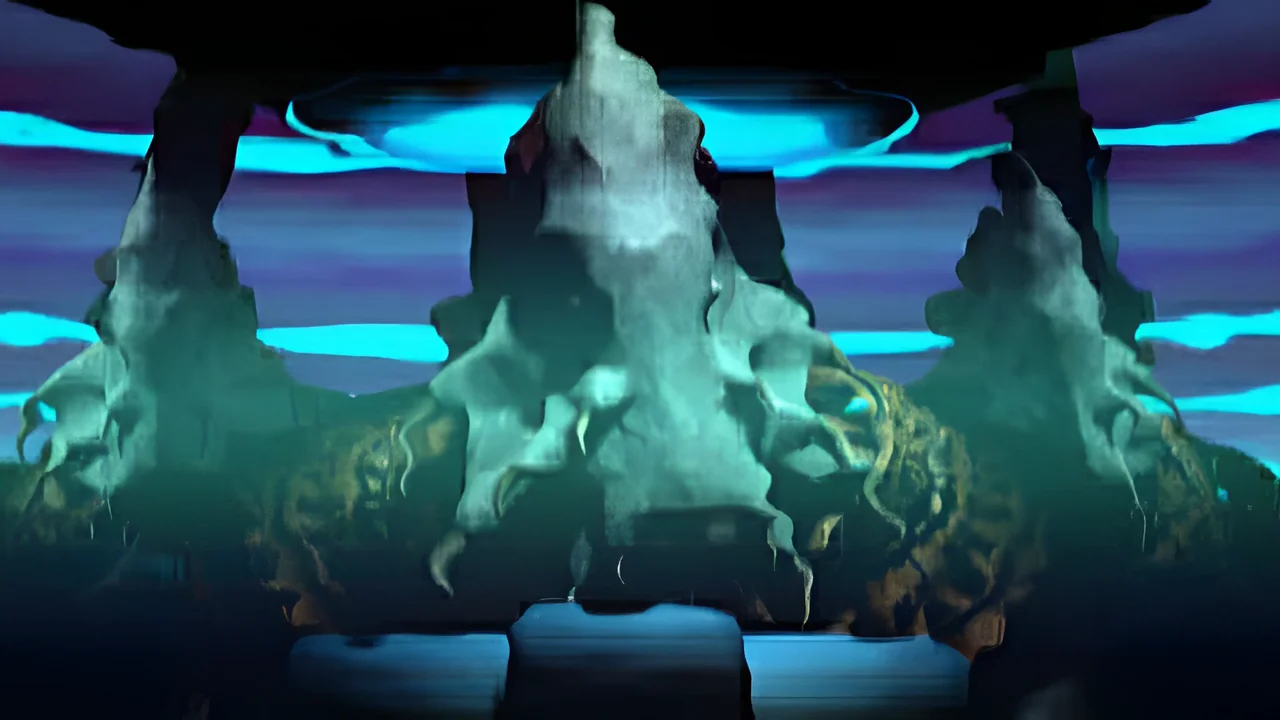
SMACX Opening

Openings and endings

Secret projects

Keep in touch

Hear about new versions and project news, and tell us when something goes wrong.

Mailing list

Get an email when a new version is released, plus occasional project news.

We'll email you a link to confirm. You can unsubscribe from any email.

Found a bug?

Open an issue on GitHub

Posting needs a free GitHub account.

Changelog

1.0.0 -- 2026-11-08

High-resolution UI scaling

  • The entire interface now scales to your resolution instead of staying at its original size.
  • The F4 report's base-locator blink is drawn at twice its scaled size, so it is easy to spot.

Leader portraits

  • Leader portraits and other pictures are enlarged smoothly instead of as blocks, with even scanlines.
  • You can replace leader and native-life portraits with your own images in the game's portraits folder.
  • New optional pack: Turovetsky's HD Portrait Pack replaces all 14 leader portraits with AI-remastered art (https://www.youtube.com/@Turovetsky, https://x.com/turovetsky).

Display modes

  • New Fullscreen, Borderless and Windowed modes, switchable in Longevity Mod Preferences or with Alt+Enter.
  • The game no longer switches your monitor's resolution, so the screen doesn't black out or flicker when the game starts, after a cinematic or when you Alt+Tab.
  • Windowed play is now smooth at any resolution, with sharp text.
  • Dragging and edge-scrolling the map is now smooth at high resolutions.

Mod settings

  • New Longevity Mod Preferences tab in the Preferences window for the mod's settings.
  • A Base Font Size slider sets how large the map's base names and their current production names grow.
  • New optional Modern Control Set: right-click to move, left-click to select, with a move line that follows the pointer and Ctrl+right-click waypoints. It is off by default.
  • Two optional camera settings stop the map from recentering when you click a square, open a base or close one.
  • A Drag Hold Time slider sets how long you hold the mouse on the map before a move starts, so slow clicks no longer turn into accidental moves.
  • The cloaking and air-drop changes each have a switch in Longevity Mod Preferences.
  • You can choose whether the right or middle mouse button pans the map, or turn panning off. With the Modern Control Set, Right-Click Drags to Move keeps the original hold-and-drag move.
  • Constrain Mouse to Window in Longevity Mod Preferences turns off Fullscreen's pointer hold.
  • Longevity Mod Preferences has switches for your own portraits and for portrait scanlines.

Updates

  • The mod checks for updates at startup and offers to install them, with the optional packs offered separately. You can turn the check off in Longevity Mod Preferences.

Thinker Mod

  • Works with Thinker Mod 5.5, and Thinker's own interface scales with the rest of the game. Install into the Thinker folder and keep starting thinker.exe as before.
  • The game warns once at startup if the folder holds a Thinker Mod version this release does not support.
  • Under Thinker Mod, the base screen's SUPPORT tab shows the standard support map, scaled to your resolution. Thinker's zoomable support view is not scaled, so at high resolutions it showed a tiny unit in an empty panel.

Cinematics

  • Movies now play inside the game window at your resolution, with no resolution switch and no external player. Esc or a click skips them.
  • New optional pack: all 61 movies AI-upscaled to 4x resolution.

Multiplayer

  • Two PCs on the same home network now find each other's TCP/IP multiplayer games on routers without NAT loopback. This was a Windows DirectPlay bug.
  • The multiplayer "No Time Control" readout no longer flashes black when the mouse moves over it. This was an original-game bug.

Windows 7 Compatibility

  • Runs on Windows 7 SP1 with update KB2533623.
  • Windows 7 is a lightly tested platform. Please submit any issues to GitHub via the website.

Base-game fixes

  • Cloaking Device and Deep Pressure Hull now hide units from computer players. Hidden units no longer show through go-to routes or withdrawal demands, a transport's cargo no longer gives it away, and a red mark shows which of your cloaked units have been spotted. This also works with Thinker Mod.
  • Undetected cloaked and submarine units no longer exert a zone of control that gives them away.
  • A Geosynchronous Survey Pod now lets units detect cloaked enemies anywhere in its base's radius, not just on nine specific squares around the base.
  • Air-dropping onto unseen enemy units now lands on a free square next to them and reveals them, instead of a refusal that gave their position away.
  • Bases under a Punishment Sphere or nerve staple now show the drones being suppressed.
  • Bases under a Punishment Sphere or nerve staple no longer show leftover superdrone faces.
  • The PSYCH tab no longer credits a Punishment Sphere or nerve staple to Secret Projects.
  • Fixed a crash at end of turn when a rioting base defected in a game without the Free Drones. The Free Drones' chance to win over a revolting base was inverted, about 25% instead of the documented 75%. It is now 75%.
  • Fixed the Windows 11 24H2 freeze when starting a new game, saving or loading.
  • Fixed a bug that could corrupt a running game when it was saved.
  • Holding Shift or Ctrl no longer makes the game ignore your next map click.
  • The technology breakthrough window now opens its description at the top.
  • Closing a story interlude with a key no longer flashes the game menu or needs a second press.
  • View Credits no longer plays a second copy of the menu music.
  • The in-game music no longer keeps playing over the main menu after you leave a game.
  • Large selected units now blink as a whole.
  • The unit panel no longer shows a stale "moves remaining" count after a go-to order is given up for being unreachable.
  • A loaded game no longer starts with the current unit half-selected, which ignored its first move.
  • In view mode, holding the mouse on a unit no longer draws a move line that the release ignores.
  • The unit panel now always shows the unit the game is waiting on.
  • The map no longer breaks up when the camera jumps while fully zoomed out.
  • Unit flags, base icons, terrain overlays, combat explosions and the Planet Buster cloud no longer vanish at the deepest zoom levels.
  • Scroll bar thumbs now stay with the mouse while you drag them, even if the mouse leaves the scroll field.
  • Scrolling lists no longer paint a stray row when you hover just below the last one.
  • Clicking near a cell's edge in the production picker no longer picks its neighbour.
  • In the Design Workshop's part pickers, clicking near a part's right edge no longer picks the next part, and the hover highlight clears when the mouse leaves.
  • The unit picker now draws correctly with only one unit on the square.
  • Scrolling a Datalinks article no longer shifts its line breaks or shows raw link markup.
  • The bottom line of the notification ticker is no longer cut off by the console when the notification text is long.
  • The drone-riots tutorial now points at the citizens row at every width.
  • In the scenario editor, the HUD keeps responding after you paint terrain, and every palette tool shows when it is selected.
  • Dialogs no longer draw with the wrong proportions after the scenario editor's EDIT DIPLOMACY window.
  • The Datalinks entries for Cloaking Device, Deep Pressure Hull and Deep Radar now describe how hidden units are really detected, and the Waypoints entry explains the Modern Control Set's waypoints.
  • In checkbox list popups, the right frame line no longer runs under the rows.

PRACX fixes

  • Fullscreen now keeps the mouse pointer on the game's monitor.
  • The game now fills the screen correctly at any Windows display scaling, with no compatibility setting.
  • Secret project movies once again end with the project's name and description.
  • The minimap's viewport rectangle no longer vanishes or freezes while you scroll or zoom.
  • Buttons near the screen edges now take clicks right away.
  • The mouse wheel now scrolls lists instead of moving the selection.
  • The mouse wheel over a list on top of the map now scrolls the list instead of zooming the map.
  • The HQ report screens' technology and base lists no longer paint a stray row after a mouse-wheel scroll.

Power-user settings

These go under [UIMod] in Alpha Centauri.ini.

  • SmoothPortraits=0 turns off the smooth portrait and picture enlarging.
  • FullscreenModeSwitch=1 brings back the real monitor resolution switch in Fullscreen.
  • DpiAware=0 leaves display scaling to Windows.
  • SmoothScroll=0 brings back PRACX's map scrolling.
  • BigF4Indicators=0 draws the F4 base-locator blink at its normal scaled size.
  • UpscaledVideos=0 plays the classic movies even with the HD Cinematics pack installed.
  • EscapeHotkey= sets the key that frees the mouse pointer and minimises the game if it stops responding. The default is Ctrl+Alt+Shift+End.
  • MovieAudio=waveout or MovieAudio=off changes how movie sound plays.
  • DirectPlayLanFix=0 turns off the home-network multiplayer fix.

Mailing list